Nintex Community Menu Bar
Question

Add display of value to slider example.

  • Jun 27, 2024 8:51 PM UTC
  • 21 replies
  • 10 views
  • Translate All

Forum|alt.badge.img+1

i’m using the slider example and it works great now the client wants to also see the numeric value as the slider slides the jquery examples show this… but that means adding a div and a control to display the number… i don’t know how to add those to the skuid page so the javascript can update them can you point me the way?


This topic has been closed for replies.

21 replies

Forum|alt.badge.img+1

Ken, here is a modified version of the Integer slider field renderer that shows the Integer value as well:

var field = arguments[0], value = arguments[1], $ = skuid.$; if (field.mode == 'read') { skuid.ui.fieldRenderers.INTEGER.read(field,value); } else if (field.mode == 'edit') { var amt = $('') .text(value || '0'); // Render a jQuery ui slider // with step size 1 and boundary range [0,10]. // Whenever this slider is updated, // our row will be updated as well var slider = $('').slider({ value:value || 0, min: 0, max: 10, step: 1, slide: function( event, ui ) { // Update our model with the new value field.model.updateRow( field.row, field.id, ui.value, { initiatorId : field._GUID} ); amt.text(ui.value); } }); var sliderContainer = $('').append(amt,slider); field.element.append(sliderContainer); } 
Translate

Forum|alt.badge.img
  • New Participant
  • Jun 27, 2024 10:08 PM UTC

Very impressive stuff guys.  Skuid makes me look like a programming prodigy to the rest of my company.  Quick thought–I always thought it would be really impressive to have a “tracker” like Domino’s Pizza has for a quick visual as to where we are in the process for each account.  I am thinking this slider could be modified to do that, or am I off base here?

Translate

Forum|alt.badge.img+1
  • Inspiring
  • Jun 27, 2024 10:08 PM UTC

There are many ways you could accomplish this.  I’m reminded of the way Salesforce uses opportunity stage to populate a percentage field.  That percentage field could then be used to drive the slider positioning.  A similar stragety could be used on some Account Status field in your situation.  Use a formula field to convert the status values to a percentage.   Some additional javascript coding would need to be done to get the lables for the slider to be the status fields, and even update the status fields based on changes to the slider.  But I’m sure its possible. 

Translate

Forum|alt.badge.img+1
  • Known Participant
  • Jun 27, 2024 10:09 PM UTC

Should this code still work? Trying to use in a popup and it is not rendering a slider. 

Translate

Forum|alt.badge.img+1
  • Known Participant
  • Jun 27, 2024 10:09 PM UTC

Anyone?

Translate

Forum|alt.badge.img+1

Hey Kaede!

With our newest release (Banzai), we actually removed all theme specific jQueryUI styling from all of our themes, except classic. The jQueryUI base css is still there, just anything associated with colors, borders, backgrounds, etc is now gone. What is most likely happening for you is that the snippet is working, but you just can’t see the slider because it’s invisible, which is definitely not ideal.

Luckily, there’s two easy solutions.
1. Use our classic theme. This probably isn’t ideal because we have so many cool themes out there now, and you don’t want to be locked in to just one specifically.
2. Add this handy bit of CSS I just made to your skuid page. (How do I do this?)

.ui-slider-horizontal .ui-slider-handle { border: 1px solid #ccc; background: #eee; } .ui-slider-horizontal { border: 1px solid #ccc; background: #f9f9f9; }<br>

This will style the slider in a fairly conservative manner that will look appropriate in just about any context. Also feel free to swap out those colors if you like.

Translate

Forum|alt.badge.img+1
  • Known Participant
  • Jun 27, 2024 10:09 PM UTC

Skuid makes me feel like it’s always christmas. 

Thank you so much!

Translate

Forum|alt.badge.img+1

Glad we could help!

Translate

Forum|alt.badge.img+1
  • Known Participant
  • Jun 27, 2024 10:09 PM UTC

Thank you very much this will be extremely useful.

By any chance, has any one found a way to display the value with a currency formatting before save? ($ and comma to separate thousands…)

Translate

Forum|alt.badge.img+1

Hi Dave,

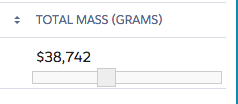
Here is a modified version that uses Skuid’s built-in Currency renderer to display the number with currency formatting. Here I’ve set a max for the slider to 100,000 but you can easily adjust this to a higher value:

var field = arguments[0],
value = arguments[1],
$ = skuid.$;
if (field.mode == ‘read’) {
skuid.ui.fieldRenderers.INTEGER.read(field,value);
} else if (field.mode == ‘edit’) {
var amt = $(‘

’)
.text(skuid.ui.renderers.CURRENCY.read({ value: value || ‘0’ }));
// Render a jQuery ui slider
// with step size 1 and boundary range [0,10].
// Whenever this slider is updated,
// our row will be updated as well
var slider = $(‘
’).slider({
value:value || 0,
min: 0,
max: 100000,
step: 1,
slide: function( event, ui ) {
// Update our model with the new value
field.model.updateRow(
field.row,
field.id,
ui.value,
{ initiatorId : field._GUID}
);
amt.text(skuid.ui.renderers.CURRENCY.read({ value: ui.value }));
}
});
var sliderContainer = $(‘
’).append(amt,slider);
field.element.append(sliderContainer);
}

Translate

Forum|alt.badge.img+1
  • Known Participant
  • Jun 27, 2024 10:09 PM UTC

Wow, that was fast and works!!

Thank you very much Zach  🙂

Translate

Forum|alt.badge.img+1
  • Known Participant
  • Jun 27, 2024 10:09 PM UTC

Hello,

By any chance, would anyone knows how I can make this slider work to display Decimals?

var params = arguments[0],
$ = skuid.$;
var field = arguments[0],
value = arguments[1],
$ = skuid.$;
if (field.mode == ‘read’) {
skuid.ui.fieldRenderers.INTEGER.read(field,value);
} else if (field.mode == ‘edit’) {
var amt = $(‘

’)
.text(skuid.ui.renderers.INTEGER.read({ value: value || ‘0’ }));
// Render a jQuery ui slider
// with step size 1 and boundary range [0,10].
// Whenever this slider is updated,
// our row will be updated as well
var slider = $(‘
’).slider({
value:value || 0,
min: 1.001,
max: 1.999,
step: 0.001,
slide: function( event, ui ) {
// Update our model with the new value
field.model.updateRow(
field.row,
field.id,
ui.value,
{ initiatorId : field._GUID}
);
amt.text(skuid.ui.renderers.INTEGER.read({ value: ui.value }));
}
});
var sliderContainer = $(‘
’).append(amt,slider);
field.element.append(sliderContainer);
}

All works except visually i do not see the decimals only the number 1 and 2. I would like to be bale to see up to 3 decimals if possible

Thank you,

Translate

Forum|alt.badge.img+1

Try changing “skuid.ui.renderers.INTEGER” to “skuid.ui.renderers.DOUBLE”

Translate

Forum|alt.badge.img+1
  • Known Participant
  • Jun 27, 2024 10:09 PM UTC

Thx Andrew but unfortunately I had tried that before posting and still not working

var params = arguments[0],
$ = skuid.$;
var field = arguments[0],
value = arguments[1],
$ = skuid.$;
if (field.mode == ‘read’) {
skuid.ui.fieldRenderers.DOUBLE.read(field,value);
} else if (field.mode == ‘edit’) {
var amt = $(‘

’)
.text(skuid.ui.renderers.DOUBLE.read({ value: value || ‘0’ }));
// Render a jQuery ui slider
// with step size 1 and boundary range [0,10].
// Whenever this slider is updated,
// our row will be updated as well
var slider = $(‘
’).slider({
value:value || 0,
min: 1.001,
max: 1.999,
step: 0.001,
slide: function( event, ui ) {
// Update our model with the new value
field.model.updateRow(
field.row,
field.id,
ui.value,
{ initiatorId : field._GUID}
);
amt.text(skuid.ui.renderers.DOUBLE.read({ value: ui.value }));
}
});
var sliderContainer = $(‘
’).append(amt,slider);
field.element.append(sliderContainer);
}

Translate

Forum|alt.badge.img+1

Aw, I see. Yeah you have to add a decimalPlaces field when using the “DOUBLE” renderer. 

amt.text(skuid.ui.renderers.DOUBLE.read({                
    value: ui.value,
    decimalPlaces: 3
}));

Translate

Forum|alt.badge.img+1
  • Known Participant
  • Jun 27, 2024 10:09 PM UTC

Thank you, that worked!

🙂

Translate

Forum|alt.badge.img+1
  • Participating Frequently
  • Jun 27, 2024 10:09 PM UTC

Anybody come up with a fix for this so it displays well in a tab set?  Also a mobile version?

Translate

Forum|alt.badge.img+1
  • Known Participant
  • Jun 27, 2024 10:09 PM UTC

Hi Guys,

JS noob that i am, wondering if there is way to use existing fields from same model to set the minimum and max value

So example below I want to replace:
the min value(1.001) with a field named min_cost__c
the max value(1.999) with a field named max_cost__c

anyone would be kind enough to help me with this please?

var params = arguments[0],
$ = skuid.$;
var field = arguments[0],
value = arguments[1],
$ = skuid.$;
if (field.mode == ‘read’) {
skuid.ui.fieldRenderers.DOUBLE.read(field,value);
} else if (field.mode == ‘edit’) {
var amt = $(‘

’)
.text(skuid.ui.renderers.DOUBLE.read({ value: value || ‘0’ }));
// Render a jQuery ui slider
// with step size 1 and boundary range [0,10].
// Whenever this slider is updated,
// our row will be updated as well
var slider = $(‘
’).slider({
value:value || 0,
min: 1.001,
max: 1.999,
step: 0.001,
slide: function( event, ui ) {
// Update our model with the new value
field.model.updateRow(
field.row,
field.id,
ui.value,
{ initiatorId : field._GUID}
);
amt.text(skuid.ui.renderers.DOUBLE.read({ value: ui.value,
decimalPlaces: 3
}));
}
});
var sliderContainer = $(‘
’).append(amt,slider);
field.element.append(sliderContainer);
}

Thx!

Translate

Forum|alt.badge.img+1
  • Participating Frequently
  • Jun 27, 2024 10:09 PM UTC

Dave, Any answers to this question?

Translate

Forum|alt.badge.img+1
  • Known Participant
  • Jun 27, 2024 10:09 PM UTC

Hi Bill , yes I had figured out some sort of solution, here’s a snippet that I use for that

var params = arguments[0],
$ = skuid.$;
var field = arguments[0],
value = arguments[1],
$ = skuid.$;

if (field.mode == ‘read’) {
skuid.ui.fieldRenderers.DOUBLE.read(field,value);
} else if (field.mode == ‘edit’) {
var amt = $(‘

’)
.text(skuid.ui.renderers.DOUBLE.read({ value: value || ‘0’ }));
// Render a jQuery ui slider
// with step size 1 and boundary range [0,10].
// Whenever this slider is updated,
// our row will be updated as well
var slider = $(‘
’).slider({
value:value || field.row.Buy_Rate__c,
min: field.row.Buy_Rate__c,
max: field.row.Sell_Rate__c,
step: 0.001,
slide: function( event, ui ) {
// Update our model with the new value
field.model.updateRow(
field.row,
field.id,
ui.value,
{ initiatorId : field._GUID}
);
amt.text(skuid.ui.renderers.DOUBLE.read({ value: ui.value,
decimalPlaces: 3
}));
}
});
var sliderContainer = $(‘
’).append(amt,slider);
field.element.append(sliderContainer);
}

Translate

Forum|alt.badge.img+1
  • Known Participant
  • Jun 27, 2024 10:09 PM UTC

This is the part you need to change:
    
        value:value || field.row.Buy_Rate__c,  <— the starting value (even though there is 1 bug i did not figure, is that the slider always starts at 0, until I start moving it then it adjust to this value)

        min: field.row.Buy_Rate__c,  <---- the field to enter min Value

        max: field.row.Sell_Rate__c,  <— the field to enter max value

        step: 0.001,  <-----increments

Translate